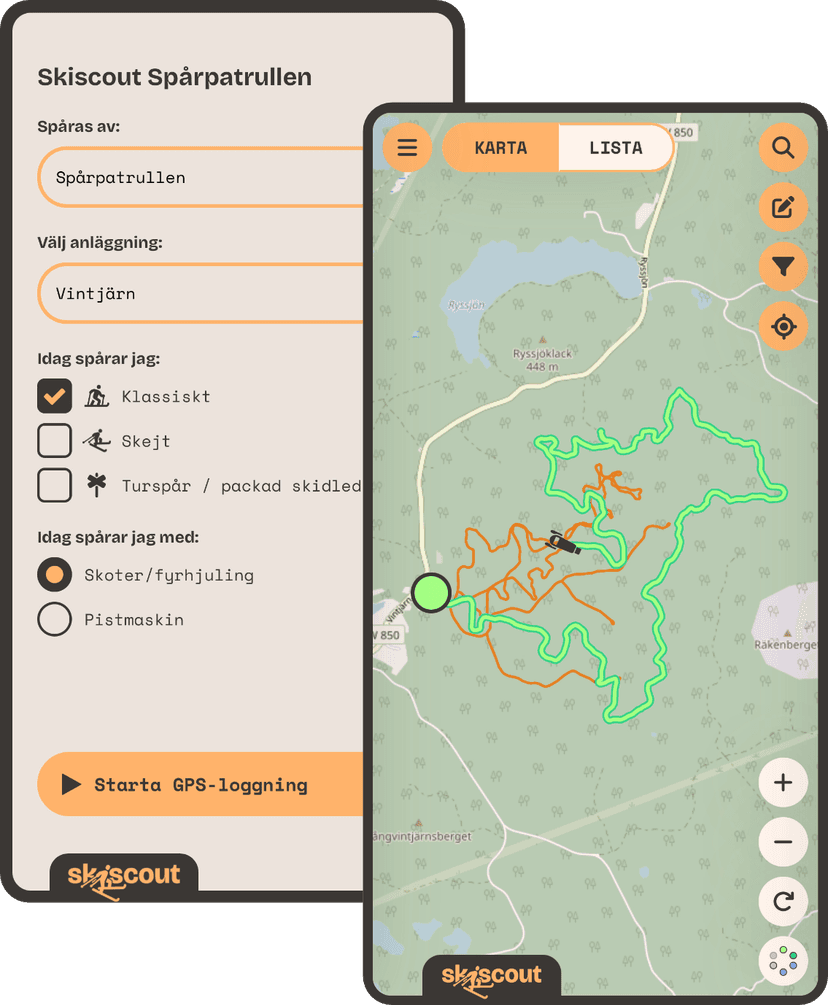
The app for you who groom ski tracks
Skiscout Spårpatrullen
Start the Skiscout Spårpatrullen app. Groom the tracks. Stop. Done. The tracks are shown in real time on the map at skiscout.app while you drive, and all cross-country skiers can easily see when the tracks are freshly groomed.
Free. Easy. No hassle.
Do you groom ski tracks?
Download Skiscout Spårpatrullen to log your grooming



Questions and answers about Skiscout Spårpatrullen
Yes! Open the app, choose the ski area and the type of track, and press start. The app logs your route automatically in the background. When you are done you press stop, and a report is created automatically for the ski area.
Yes! Skiscout Spårpatrullen is completely free and can be downloaded for both iOS (iPhone) and Android, from the Apple App Store and the Google Play Store respectively.
Yes! As long as your phone has mobile coverage, your GPS track is uploaded continuously. A delay of up to a minute or so is normal.
To use Skiscout Spårpatrullen you need to allow access to your location, even when the app is in the background or the screen is locked.
Your location is collected from when you press the button "Starta GPS-loggning" (start GPS logging) until you press the button "Stoppa loggning" (stop logging). This also works when the app is in the background or the screen is locked. Apart from that, your location is never collected.
The track stays on the Skiscout map for about 1 month and is colored in the same way as the dots of the ski areas. If you groom the same stretch again, the latest GPS track is shown on top.
Yes! Your GPS track is uploaded as soon as the coverage is back. You do however need coverage when the app is started, to fetch the list of ski areas. If you know that the coverage is poor by the ski tracks, make sure to open the app at home so that you see the list of ski areas. You can then start the logging once you are out on the track.
Try to keep your phone warm. If the phone's battery gets very cold, the GPS may be turned off automatically.
If you use your phone while grooming, we recommend that you open the app again before putting the phone back in your pocket.
We have tried to make the app as energy efficient as possible. Lock the screen while logging to minimize the energy consumption, the app keeps going in the background.
Also remember to keep your phone warm. See the previous question about cold weather.
Yes! When you have stopped your logging you can add a short comment to the report, which is shown together with the regular reports on Skiscout.
You don't see a map in the app, but when the page "Nu loggas" (now logging) is shown, your GPS is running. A green circle and a button for stopping the logging are also shown.
No worries! Stop the logging when you remember, then contact us at info@skiscout.app and we will cut off the last part of the GPS track.
You can add new ski areas here on Skiscout, in the menu to the left or click here.
The track is shown publicly on the map to all users of skiscout.app. The name you enter is also shown, as well as any comment you add.
Contact us
Do you have questions or need help with something? Write to us at info@skiscout.app